COMPUTER
Download PDF Click here
فری تیاری کیلے Whatsappجوائن کریںClick
here
چار آپشن میں سے کسی ایک پر کلک کرنے سے جواب سرخ ہو جائے گا۔
ایکسل میں حروف اشارہ کرتے ہیں
- Columns
- rows
- numbers
- reference
اس سوال کو وضاحت کے ساتھ پڑھیں
Explanation
By default, Excel uses the A1 reference style,
which refers to columns as letters
and refers to rows as numbers
These letters and numbers are called row and column headings.
Type the column letter followed by the row number.
ایکسل میں خلیات کے گروپ کو کیا کہتے ہیں؟
- Cell Range
- Workbook
- Margin
- None of these
اس سوال کو وضاحت کے ساتھ پڑھیں
Explanation
In Excel, a group of cells is known as a Cell Range.
Single cell address like A1, a cell range using the cell addresses of the first
and last cells in the cell range separated by a colon.
For example, a cell range with cells D1, D2, D3, D4, and D5 would be written as D1:D5
نوٹ بک کا دوسرا نام کیا ہے؟
- computer
- LCD
- Laptop
- None of these
اس سوال کو وضاحت کے ساتھ پڑھیں
Explanation
A laptop, sometimes called a notebook computer
manufacturers by:
a battery- or AC-powered personal computer (PC) smaller than a briefcase.
ہم سیل میں فارمولہ لکھنے کے لیے کس کا استعمال کرتے ہیں۔
- =
- -
- +
- none
اس سوال کو وضاحت کے ساتھ پڑھیں
Explanation
A formula always starts with an equal sign (=)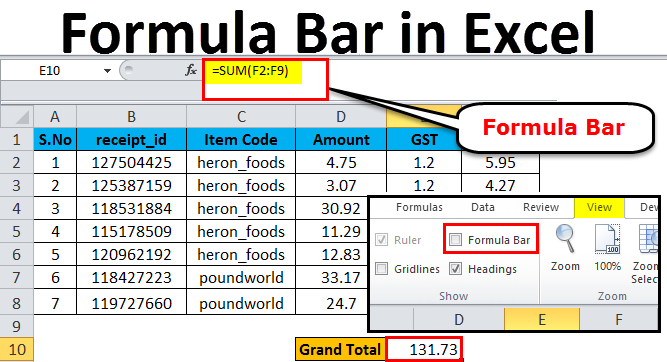
Additional Information:
| @ | Ampersat, airbase, aspirant, at or at symbol |
| # | Octothorpe, number, proud, sharp, or hash |
| & | Ampersand, epersand, or and symbol |
ایم ایس ورڈ بیک اسٹیج ویو فیچر ورژن میں شروع ہوا؟
- 2006
- 2007
- 2009
- 2010
اس سوال کو وضاحت کے ساتھ پڑھیں
Explanation
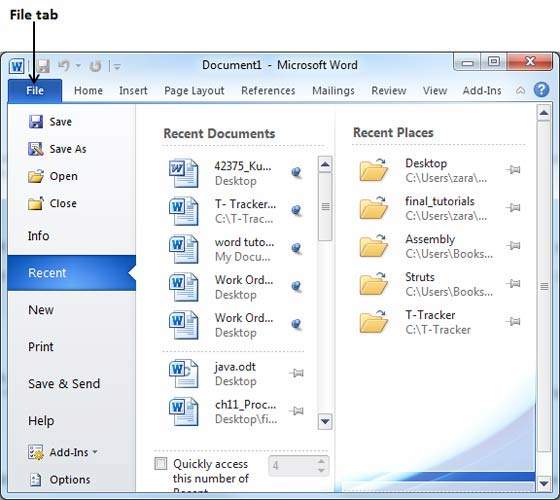
The Backstage view was introduced in Word 2010.
This acts as the central place for managing your documents.
The backstage view helps in:
- creating new documents
- saving and opening documents
- printing and sharing documents
پی پی ٹی میں تصاویر اور میزیں کہاں سے شامل کریں؟
- text tab
- insert tab
- chart tab
- none of these
اس سوال کو وضاحت کے ساتھ پڑھیں
Explanation
Select the Insert tab, then click the Pictures command in the Images group.
A dialog box will appear.
Locate and select the desired image file, then click Insert.
The picture will appear on the currently selected slide.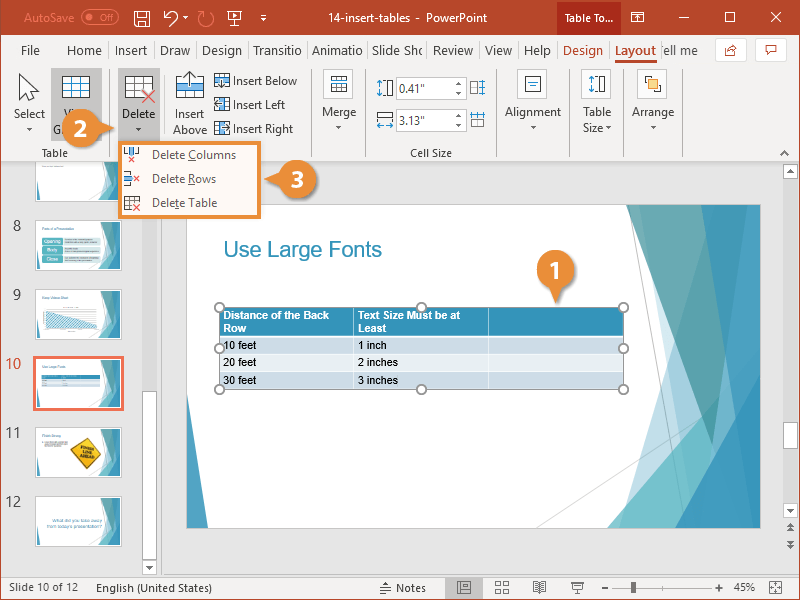
پی پی ٹی کی سلائیڈوں میں عناصر کو کیسے مرکز کیا جائے؟
- select all elements, format > Align
- format > Align
- elements, format > Align
- None of these
اس سوال کو وضاحت کے ساتھ پڑھیں
Explanation
Select the objects you want to align.
Press Shift to select multiple objects.
Select Picture format > Align and select how you want to align them:
Align Left, Align Center, or Align Right. Align the Top, Align the Middle, or Align the Bottom. Distribute Horizontally or Distribute Vertically.
ایم ایس ورڈ میں نیا ای میل آپشن دستیاب کہا ہے؟
- mailing tab
- insert tab
- table tab
- none of these
اس سوال کو وضاحت کے ساتھ پڑھیں
Explanation
The new email option is available in MS Word in the mailing tab

کنٹرول پلس شفٹ پلس ایف 6 کا ایم ایکس ایکسل میں کیا پرپس ہے
- moves to the previous worksheet
- moves to the next worksheet
- forward to the previous worksheet
- none of these
اس سوال کو وضاحت کے ساتھ پڑھیں
Explanation
CTRL+SHIFT+F6 Switch to the previous workbook window
Additional information:
CTRL+F7 When a workbook window is not maximized, perform the Move command
CTRL+F6 When more than one workbook window is open, switch to the next workbook window.
Ctrl+Shift+F12 Prints the current worksheet.
F7 Displays the Spelling dialog box to check spelling
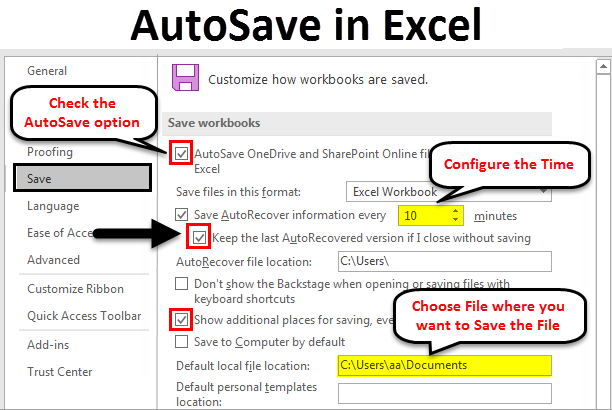
ایم ایس ایکسل میں آٹو سیو ڈیفالٹ ٹائم کتنا ہوتا ہے ۔
- 10 hours
- 10 minutes
- 10 second
- None of these
اس سوال کو وضاحت کے ساتھ پڑھیں
Explanation
Excel automatically saves changes to a workbook every 10 minutes by default.
the time interval between automatic saves can be changed in Excel's options.